
Since my first post on agentic refactoring and having attended O’Reilly Coding With AI seminar, I have learnt about a couple of techniques (more like still learning to get good at them), that have improved the results I have had with agentic coding somewhat.
I didn’t realise until preparing for this article, that I have done a fair amount of AI assisted/agentic /vibe code during the course of these experiments (pocs, little piddly one time use tools, sketch code etc):
- React Native mobile frontend for my personal project (with me not being a React engineer, this has been an interesting experience in vibing)
- Python follow along for an LLM book (once again I am not a Python engineer either)
- Docx to MD Converter (have a lot of docx files that I want to store in my Obsidian vault so converting them to Markdown. I don’t write many new docx files, so overtime my use of this tool should drop)
- Github reference finder (to find code and text references in a github repo)
- Change Data Capture PoC with Kafka and Debezium
- BigQuery schema to API generator (point the generator to a YAML definition and generate a read only REST API, super ugly code. Very quick and dirty PoC)
- Couple of file utilities (small one time use tools for file organisation)
- Markdown to PDF converter (Quick and dirty PoC just to see if it can work, it can!)
- Bunch of refactoring on work code
So in this post, I will share some of those learnings as I applied to one or more of these projects and my experiences of it.
As usual, my disclaimers:
My experiments are not super exhaustive, well, I tried to be but I ran out of Github Copilot credits both at work and home. WYGD! 🤷♂️, and
As much as I would like to, my results and conclusions won’t be universally applicable. Suck it and see for yourself, as they say!
Tools
- VS Code with Github Copilot with Claude 3.5 Sonnet (primarily)
- Windsurf (not sure what model it uses)
- Cursor (they have trained their own model for coding related tasks)
What Have I Learnt Since my First Post
In short:
- product specifications
- custom instructions/prompts
After the Oreilly seminar, I went looking for how do custom instructions work and how can I use them. Turns out Github has fairly recently released custom instructions for Copilot and its available for VS and VS Code IDEs. Still in preview release so I suspect it will change over the coming weeks/months. Both Windsurf and Cursor already support custom rules and prompts, they have for a while.
Custom instructions and prompts are reusable across projects so you can encode your project’s/team’s technical standards and conventions per repository in natural language, and everytime you chat to these agentic tools, these instructions will automatically be included into their context and the generated results are likely to be more in line with your expectations.
For product specifications, one of the techniques shared during the seminar was, have one AI chat tool ask you only one “yes/no” question at a time about the behaviour you want in the product and have it generate a detailed specification in markdown format. Then feed this spec into Copilot (or any agentic IDE) to have it generate the code. Idea being that LLMs are already great at summarisation and generating detailed text, so use them to also generate the spec.
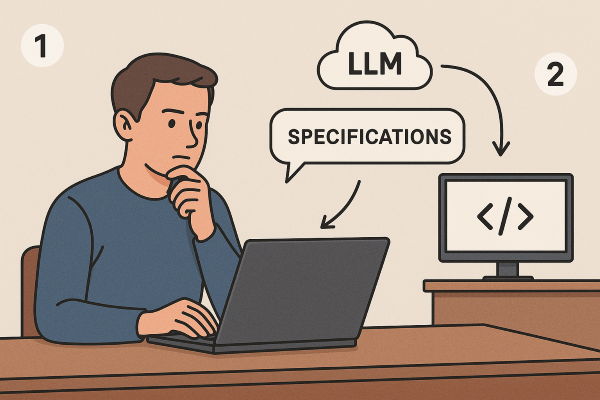
Ultimately, an LLM needs enough context to work well, the more specific you can make the context the better the results. These techniques are meant to reduce the repetitive effort in creating that context by templatising it.
Product Specifications
I have only tried this once and for my personal expense tracking project that I already have a fully functional Xamarin Forms mobile app, Blazor web app and a REST API for.
I chose this project because I know the product and the domain well enough to know what I want and what I don’t want and there is enough complexity to try out a few things. On top of that I scoped it to building a React Native mobile app in order to eventually replace the now deprecated Xamarin Forms based mobile app, so there is also an ulterior motive here. 😉
I tried 3 different approaches.
Everything, everywhere all at once
So I asked Microsoft Copilot (a Windows app) to ask me one yes/no question at a time to “elicit requirements” for the new mobile frontend:
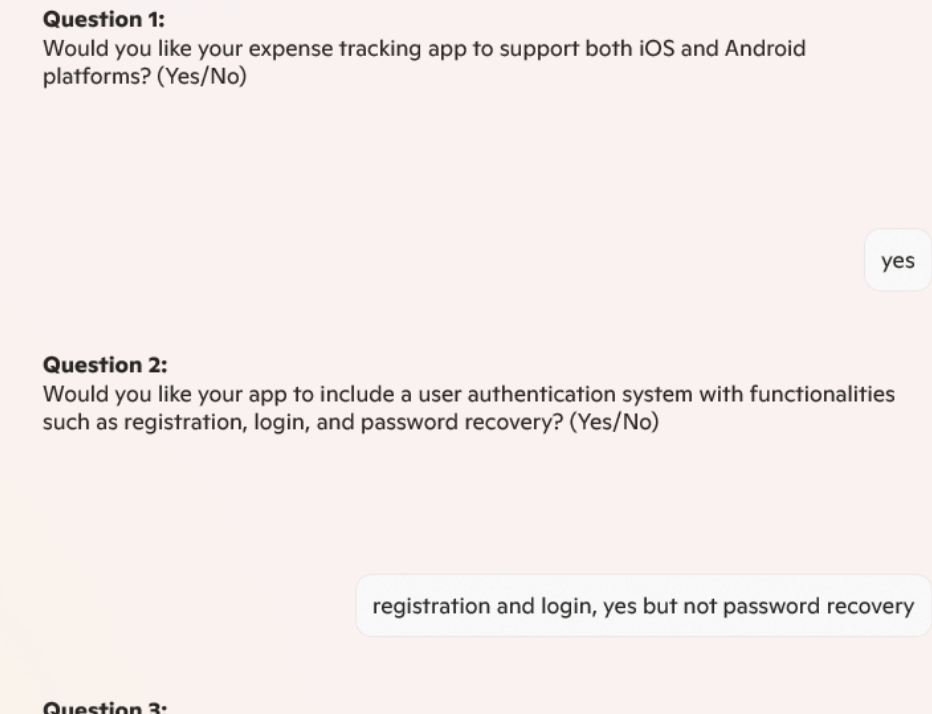
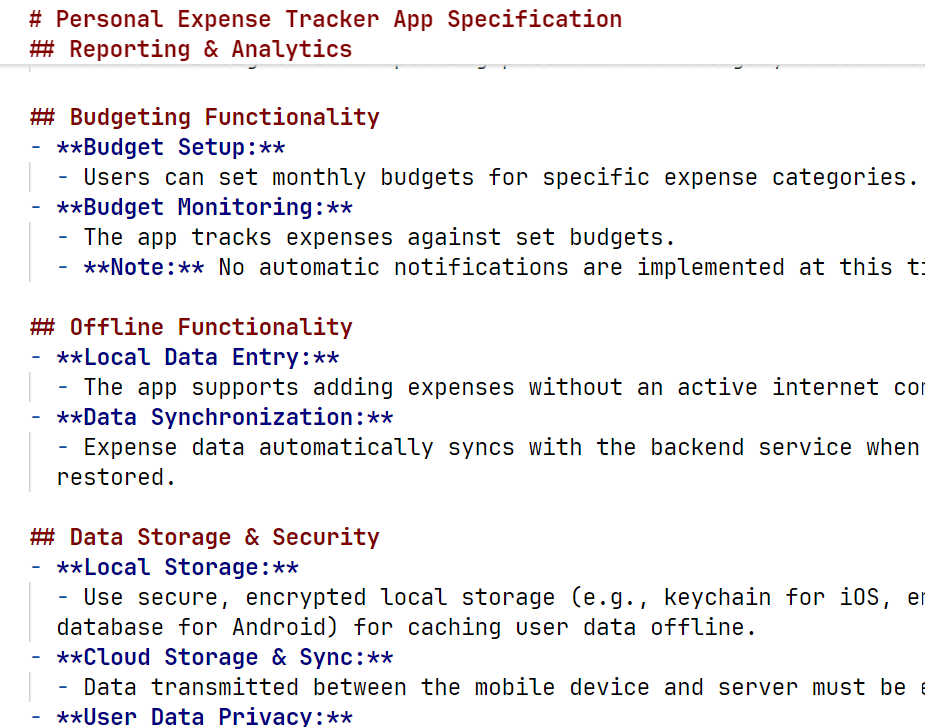
It generated a fairly detailed specification file with all sorts of requirements. I then fed this into Cursor with a rule for React frontends to be included in every chat.
The resultant frontend wasn’t too bad of a starting point:
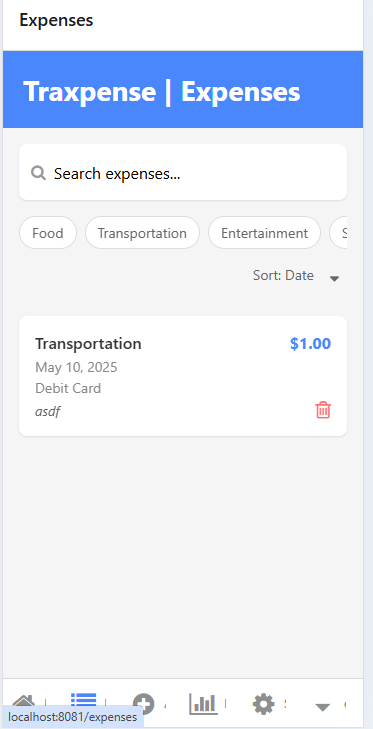
I could manage expense categories, add expenses, generate basic reports, manage my app settings (including dark mode toggle!…kids these days!😀) etc. all on the client side. None of its hooked up to my backend API.
Pretty neat! If I as a Product Manager were demoing a product idea to stakeholders, board of directors, business leadership or to my team and I don’t have access to a skilled UX designer and I am hard pressed for time, this could be a way to go. I would pay zero attention to the code, technical debt, design…my goal is to demo an idea of a product and its nice if its smarter than just a dumb Figma wireframe or an Excalidraw sketch or worse…a sketch in Powerpoint.
I noticed that even though I had asked it to write tests for all UI components, it didn’t write any. So I figured I’d ask it to generate tests after the fact .
This turned out to be a big mistake! 😆
It went in all sorts of directions, added tests, added weird configs, added a whole bunch of scripts, batch files, modifying them, removing them repeatedly. Tests would pass, but it would still go and change a bunch of things that would cause them to fail. Rinse and repeat. I ended up spending 40+ mins, and it was still going in circles and shooting off tangents. At this point I had no idea if my custom rules were having any effect.

Ultimately (and inevitably), I had to stop it all and git reset --hard the whole thing! I had plans of wiring this frontend up to my backend APIs to have it work for real, but frontend code ended up in such a state, that I had to abandon the plan.
Plus, since I have no React skills (so I am the perfect PM for this product), I have no way of rescuing this project myself, unless I learn React or have my React engineer friends look at it. AI tools will just keep tripping over themselves. But even then I suspect it would be a massive cognitive load for React engineers to first make sense of what I “vibe coded”, understand my vision and then refactor the code into a design that lends itself well enough to be a functioning, useful and scalable product in the long run. And I can say that, because when I looked at the code as a software engineer, my mind was blown. I desperately wanted to create small, reusable, composable, self contained components/modules to improve the design but I have no tests to do so safely. Attempting to write tests will likely introduce regressions that will cause more re-work and frustrations.
So I decided to try a second approach.
Generate frontend from Swagger spec
I figured how about I point Copilot to the Swagger JSON specification of my backend API and ask it to generate the corresponding React frontend. I don’t think I saved the prompt that I used, but I said something like, “Using the attached Swagger specification for the backend API of the expense tracking system, build a React native frontend that strictly complies with the Swagger spec.”
TL;DR it generated all the types, API client, JWT token management code, most of the screens and I was able to connect it to a locally running version of the API. Though, apart from getting a 200OK from the backend for login screen, nothing else really worked at all.
There were infinite renders causing infinite API calls, somehow one of the screens wasn’t using the strongly typed client for one of the routes and decided to make the low level HTTP call directly, Copilot would fix the infinite render but then the login would stop working entirely causing the subsequent API calls to 401-out. It would kinda fix that but then the infinite render would reappear.
The only way out of this mess for me, was to throw away this demo ware (or lock it away), abandon the big upfront generation, and go one feature at a time. May be I can pace my React learning as well.
One at a time
As a final experiment with the specification technique, I manually created a specification file where I listed all the use cases associating each to the corresponding backend API endpoint that I expect Copilot to wire up to that feature.
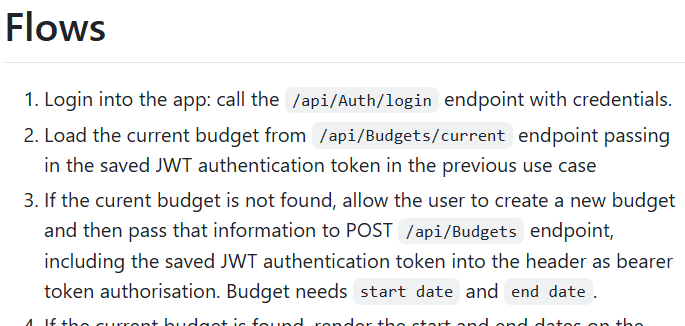
Once again I fed this and the Swagger spec into Copilot but this time, I asked it to implement only one use case (or “Flow” as I called it), at a time. No more, no less!
E.g. I asked, “Implement the spec but only Flow number 1 to start with.” Once it completed that, and I tested it, then I asked it to implement flow number 2…and so on!
This worked shockingly well! 🎉 I was able to create 3 fully functioning features in less than an hour. They were hooked up to the backend API running on localhost so I could verify that they worked exactly how I would expect. The React frontend was complying with the backend API.
I worked using this technique on and off for 3 days, only an hour or so each time, and I am 50% done from a feature pov. Not too bad! However when I look at the other things I still need to do, its quite a ways away from being done:
- Clean up React code (i.e. modularise and componentise)
- Write tests (I forgot to ask it to write tests🤦♂️)
- Improve the overall UX, currently some of the UX flows are non-intuitive (given I didn’t give it any instructions on navigation, screen design etc this is expected)
- Obviously deploy it on my Android phone
- Learn enough React to be able to do all of the above 🤓!
And I think this is the real challenge and opportunity of using these tools, even partly skilled or unskilled people now have access to building stuff. Its enabling in many ways, but also risks creating huge numbers of Dunning-Kruger afflicts. Because, the difference between a vibe coded app and an engineered product can be night and day. It takes skilled engineers collaborating with skilled UX designers and domain experts to create meaningful and scalable products.
In the final part, I will talk about using custom instructions and prompts for refactoring and bug fixing.

 Artineering
One Reply to “Agentic Coding – Part 1”